
Single Page vs Multi Page Website Templates
A single page template keeps every section in one HTML file and moves visitors around with anchor links, while a multi page template gives each topic its own URL. The right choice depends on how much you have to say and how the site will grow.
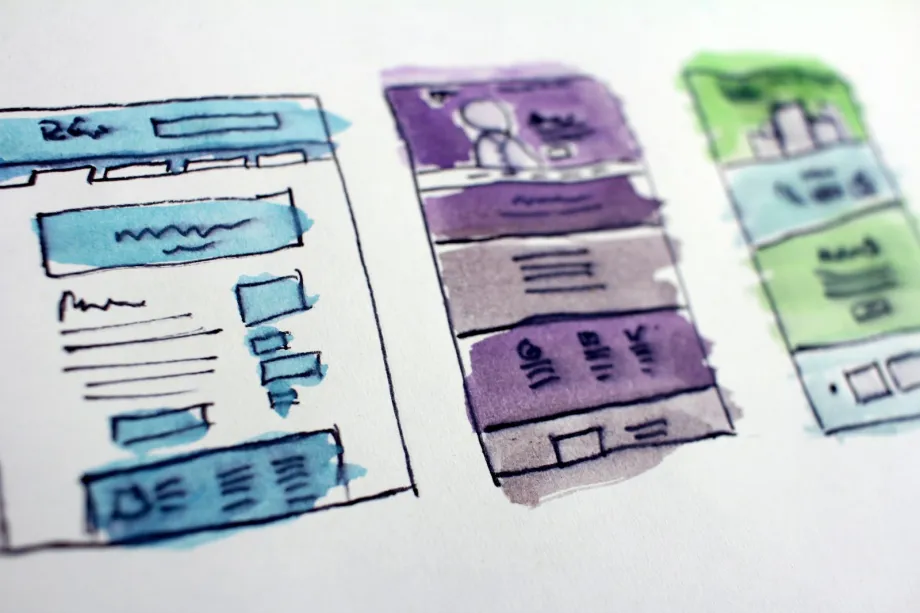
What a single page layout is good at
A single page template puts every primary section in one document, usually index.html. Visitors scroll down through it or tap menu links that jump to sections further down. Nothing new is requested from the server when they do, so the movement feels quick and continuous.
This format suits projects with one clear message. A personal portfolio, a landing page for a single product, an event announcement or a small local service often has three to six things to say, and a long scroll handles that comfortably. On phones, scrolling is also the most natural gesture available, which is one reason short one page sites feel at home on small screens.
The structure is simple. Each section gets an id, and the navigation links point at those IDs:
<header class="site-header">
  <nav aria-label="Main">
    <a href="#overview">Overview</a>
    <a href="#work">Work</a>
    <a href="#contact">Contact</a>
  </nav>
</header>

<main>
  <section id="overview">
    <h2>Overview</h2>
    <p>A short introduction to the project.</p>
  </section>
  <section id="work">
    <h2>Work</h2>
    <p>Selected examples with short descriptions.</p>
  </section>
  <section id="contact">
    <h2>Contact</h2>
    <p>How to get in touch.</p>
  </section>
</main>
Many one page designs give the opening section the full height of the screen. The dvh unit (dynamic viewport height) follows the visible area as mobile browser toolbars appear and disappear, so the section does not jump the way it can with plain vh:
.hero {
  min-height: 100dvh;
  display: grid;
  place-items: center;
}
Sticky headers, smooth scrolling and focus
Two small details separate a polished single page template from a frustrating one. The first is the sticky header. If the menu stays fixed at the top, an anchor jump will park the section heading underneath it. The scroll-margin-top property fixes this by telling the browser to stop short of the target:
html {
  scroll-behavior: smooth;
}

@media (prefers-reduced-motion: reduce) {
  html {
    scroll-behavior: auto;
  }
}

section {
  scroll-margin-top: 4.5rem;
}
Match the margin to the real header height, and check it at narrow widths, where the header often grows to two lines. The reduced motion query matters too: some people get dizzy from animated scrolling, and their system setting should switch it off.
The second detail is keyboard behavior. Current browsers move the starting point for the Tab key to the target of an in-page link, so a keyboard user who activates "Contact" continues from the contact section. Test it anyway. Scripts that hijack link clicks to animate scrolling sometimes break this, and then the next Tab press sends the user back to the top of the page.
Where one long page starts to hurt
The single page approach has limits that show up as content grows. Every image, embed, form and script ends up in the same document, so the first visit downloads far more than the visitor may ever look at. Lazy loading images below the first screen helps, but a page with a dozen sections and a large DOM still takes longer to render on low powered phones.
Sharing is another weak spot. A fragment link such as /#work points into a page, but the page itself has one title and one description, so a shared link previews the same way whichever section it targets. Analytics also get vague when everything happens on one URL.
Search is the third consideration. A page that tries to cover pricing, documentation, case studies and team bios at once gives search engines one title and one main heading to work with. Separate pages can each focus on a single topic, with their own <title>, meta description and heading outline.
When a multi page template makes more sense
A multi page template splits content into separate files: a home page, an about page, a contact page, perhaps a section of articles. Each file loads only what it needs, and each URL can be bookmarked, shared and indexed on its own terms.
This structure suits sites that will keep growing, such as a small business site that adds services, a blog, documentation, or a portfolio that is turning into a studio site. It also helps when different people maintain different parts of the content.
The cost is repetition. Every page carries the same header, navigation and footer, and in a plain static template those blocks are copied into every file. Change a menu item and you have to edit them all, unless you introduce a build step or server includes. Navigation also needs a visible "you are here" state, which you can mark up with aria-current:
<nav aria-label="Main">
  <a href="/">Home</a>
  <a href="/services/" aria-current="page">Services</a>
  <a href="/contact/">Contact</a>
</nav>
Style [aria-current="page"] in CSS and the same attribute serves both sighted users and screen reader users.
Choosing, and keeping the door open
A quick way to decide is to list the content you have now and the content you expect within a year. If the list fits into a handful of short sections with one goal, a single page template is the lighter option. If it already has distinct topics that people might search for separately, start with multiple pages.
Whichever you pick, a few habits make a later switch painless. Write CSS as components (.card, .section, .site-header) rather than rules that depend on one page's structure. Keep each section self contained in the markup, with its own heading. Avoid scripts that assume everything lives in one document. A single page template built this way can be split into separate files in an afternoon, and a multi page template can borrow its sections for a one page summary just as easily.
Frequently asked questions
What is the structural difference between single page and multi page templates?
A single page template holds all content in one HTML document divided into sections that menu links reach through fragment identifiers. A multi page template spreads content across separate HTML files, each with its own URL, title and description.
Which layout is better for search?
Separate pages are easier to match to separate topics, because each one can have its own title, description and headings. A single page can still rank well for one focused subject, such as a portfolio or an event.
Can a single page template be turned into a multi page site later?
Usually, yes. If the stylesheet is built from reusable component classes rather than rules tied to one page, you can move each section into its own file and keep the same CSS.
How do I stop a sticky header from covering headings after an anchor jump?
Add scroll-margin-top to the target sections, set to roughly the height of the header. The browser then stops the scroll that far above each section.