Landing Page Template: What to Check Before You Use One
A landing page template gives you a ready layout for a single page that asks the visitor to do one thing. These checks separate a template you can ship from one you will rebuild in a week.
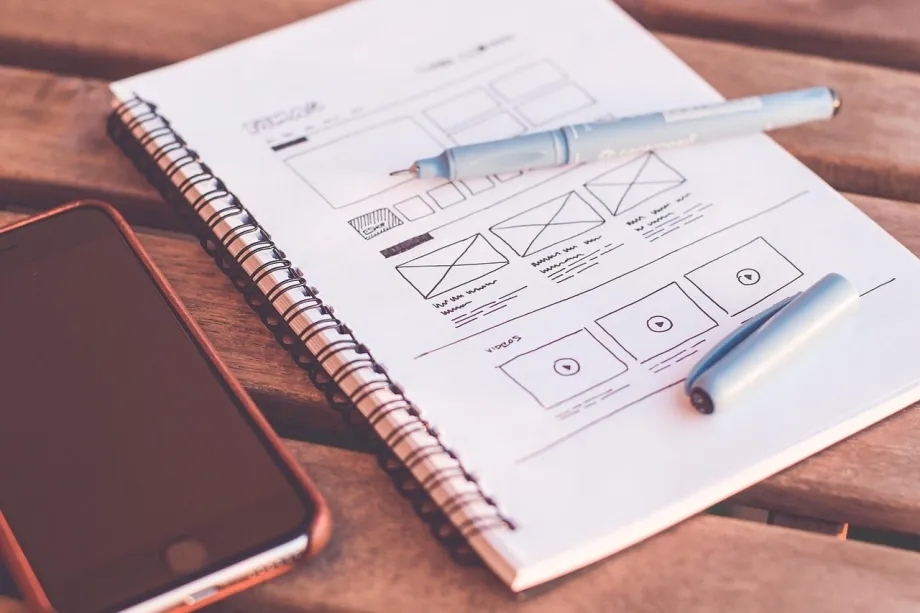
What should a landing page template include?
A usable landing page template ships with a hero section that carries one call to action, a proof section, a short form and a footer. These four blocks give a visitor what they need to decide and act, and a template that skips one leaves you rebuilding it by hand.
Check that the mobile layout works before you judge the desktop view. Open the demo on a phone-width screen and confirm the hero text stays readable, the form fields are tappable and nothing scrolls sideways.
- The hero holds one clear call to action, not three competing buttons.
- A proof section has room for testimonials, logos or a short case note.
- The form asks for the fewest fields the offer needs, with visible labels.
- The footer carries contact details and the links a visitor expects.
- The mobile layout stacks cleanly and keeps the call to action reachable.
If the markup behind those blocks is clean, editing gets easier later. Our guide to semantic html for page templates explains what to look for in the source.
How do you check the structure before editing?
Open the template in a plain text editor rather than a browser and read the markup from the top. Check that headings run in order, with one h1 for the main offer and h2s for each block below it. A template that jumps from h1 to h4 will need fixing before you touch the styling.
Then look at the form: every input needs a label tied to it, and every image needs alt text that describes what it shows. Link anchors should read as words a visitor would click, not "click here". The same guide walks through these checks in detail.
- Confirm one h1 and a logical order of h2 and h3 headings.
- Match each form field to its own label element.
- Read every alt attribute and rewrite vague ones.
- Check that link text makes sense out of context.
Will the template load fast on a phone?
A landing page template loads fast on a phone when the first screen needs one hero image, one or two fonts and little JavaScript. Look inside the template folder before you edit anything. A hero image above 300 KB, three or more font families and several script files will slow the first paint on a mobile connection.
Open the browser dev tools in device mode, set the network to a slow 3G profile and reload the page. Note when the headline and hero image appear, then scroll to the form. If the layout jumps as images arrive, the template is missing width and height attributes on its images.
- The hero image is compressed and sized for a phone screen, not a desktop banner.
- The template loads no more than two font families, ideally from one source.
- Scripts sit at the end of the body or carry a defer attribute.
- Images below the fold use loading="lazy".
- The layout holds its shape while fonts and images load.
How much can you change without breaking the layout?
You can safely change text, images, colours and the order of whole sections in most landing page templates. Swap the copy, replace a photo with one of the same aspect ratio, edit colours through the CSS variables or custom properties the template defines, and move entire sections up or down. These edits touch content and design tokens, not the grid that holds the page together.
Grid definitions, fixed heights and absolute positioning need care. A hero with height: 600px or a card row built on grid-template-columns: repeat(3, 1fr) assumes a set number of items and a set amount of text. Add a fourth card or a longer headline and the layout overflows or squeezes.
- Check every fixed px height before you add or remove content.
- Keep the number of grid columns the template was built for.
- Edit absolutely positioned elements only after you find their parent container.
- Test the page at 360px, 768px and 1280px wide after each structural change.
Do you need a landing page or a full site?
One page works when a visitor has a single job to do: request a quote, book a call, download a file. If the offer fits on one screen and the path to the form takes two clicks, extra pages only add places to get lost. A multi-page site pays off when people arrive at different stages and need separate pages for pricing, services and contact details.
Compare the two in our guide to single page vs multi page layouts before you pick a template.
Count the distinct questions a visitor must answer before acting.
- One question or one offer points to a single landing page.
- Three or more separate topics point to a multi-page site.
- Paid traffic to one offer suits a landing page with no menu.
- Returning visitors who look things up need several pages.
When is it better to start from scratch?
A template stops paying off when you spend more time removing its parts than writing your own. A layout that ships with a CSS framework you will never use, three script bundles and a slider nobody asked for means your first task is deletion, not design. Open the source file and read it. If you cannot tell within a minute where the hero section ends and the next block begins, editing it will cost more than building it.
Check the form before you commit. Many free landing page templates look complete but leave the form with no action, no validation and no error state, so a visitor who fills it in gets nothing back. If the markup carries no labels and no field names you can wire to a handler, you are rebuilding the block anyway.
- You need a layout the template cannot express without overriding most of its rules.
- The markup is nested so deeply that you cannot trace one section to its closing tag.
- The form has no working submission path and you must build one regardless.
- Every section depends on scripts you would otherwise drop.
- You plan to reuse the design across several pages and want rules you understand.
Frequently asked questions
Can I use a free landing page template for a client site?
It depends on the licence that comes with the template. Read the licence file before you hand the page over, because terms differ between free templates and some ask for a credit link. Keep the licence text with the project files.
How many sections should a landing page have?
Enough to answer the visitor's main question and take the action, and no more. Most pages work with a hero, a short explanation, proof and a form. Cut any section you cannot fill with real content.
Do I need to know code to edit a template?
You can change text and images in any editor if you keep the tags intact. Changing the layout, the form or the responsive behaviour needs basic HTML and CSS, so check the markup before you promise a client a quick edit.
What is the difference between a landing page template and a theme?
A landing page template is one page layout you fill with your content. A theme is a set of templates and styles for a whole site, often tied to a content management system. Pick the first when you need a single page.